
DSD
DSD playback on Windows 10
※When playing DSD audio with Live Extreme, please do not run other applications such as audio players at the same time.
※For DSD 5.6MHz content, select 352800Hz (352.8kHz) instead of 176400Hz (176.4kHz).
- 01
First connect DSD compatible external audio devices such as USB-DAC to the computer.
- 02
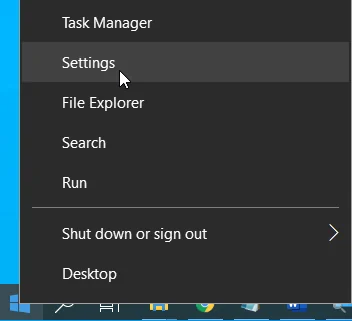
Open [Settings] by right-clicking the [Start] button.
- 03
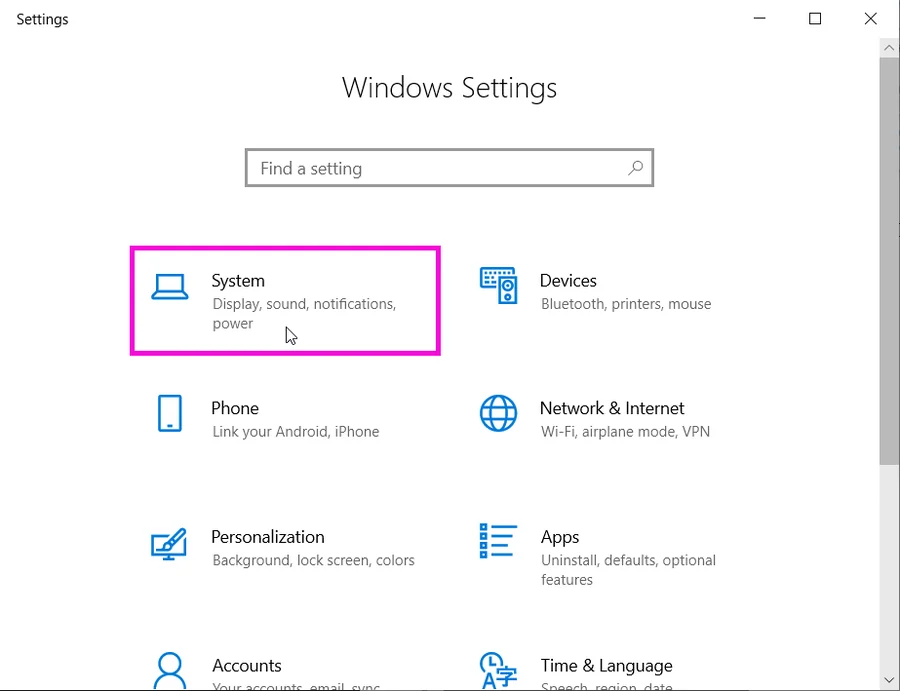
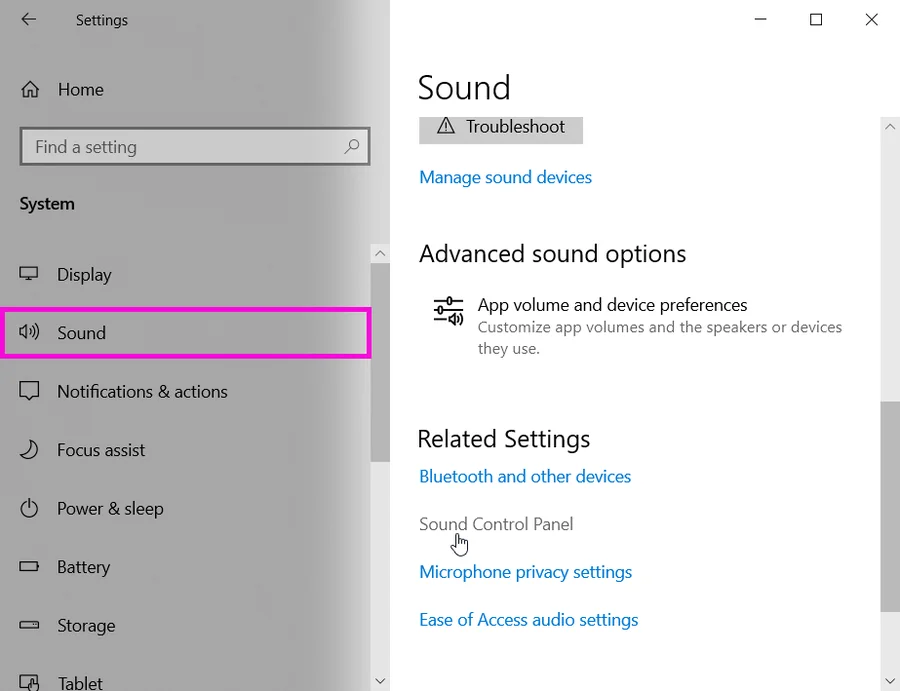
Go to [System] → [Sound] → [Sound Control Panel]
- 04
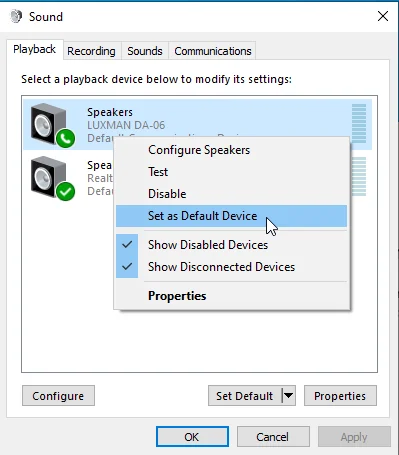
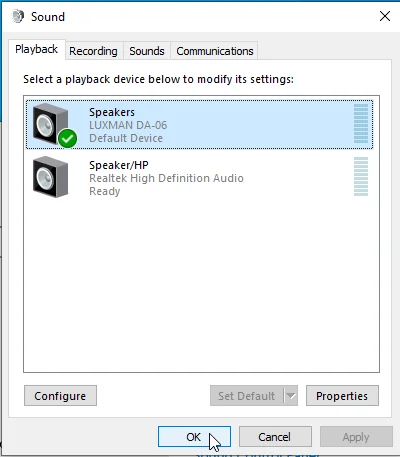
Under the [Playback] tab, make sure that your device is shown. Right-click on the device icon and select [Set as Default Device] if it isn’t already set (if a check mark is shown on the device, this is already set).
- 05
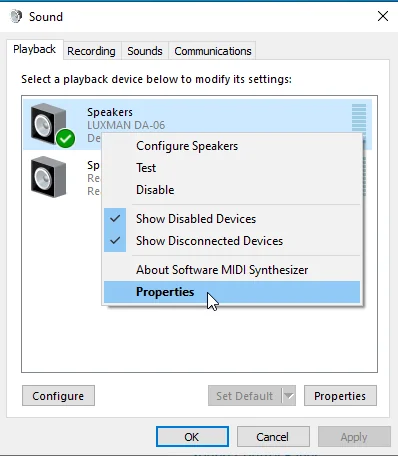
Right-click on the device icon again, and go to [Properties].
- 06
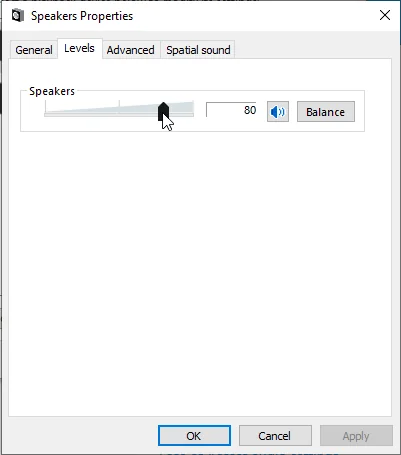
Set the level at 100 in the [Levels] tab and select [OK] and close the properties window.
- 07
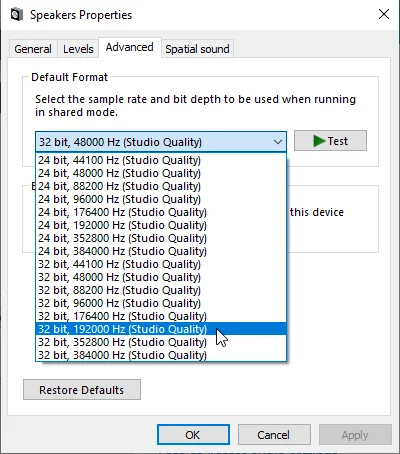
Set the following parameters in the [Advanced] tab. A. Number of channels: 2 channels B. Bit depth: 24bit or 32bit C. Sample rate: 176400Hz for 2.8MHz DSD or 352800Hz for 5.6MHz DSD
- For certain audio devices, you may not see the [Advanced] tab or the sample rate settings. In these cases, use the dedicated setup application for the device from the control panel and set the sample rate. For more details, please contact the device’s manufacturer.
- 08
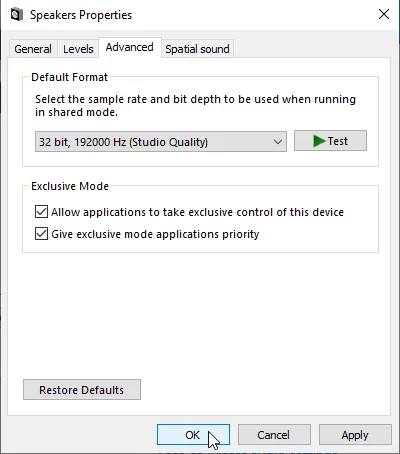
Select [OK] and close the properties window.
- 09
Press [OK] and close the sound control panel.
- 10
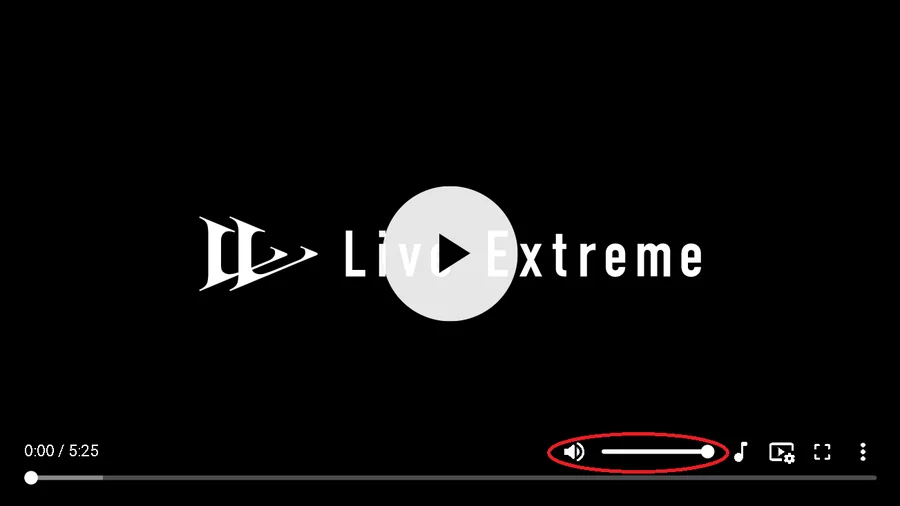
Make sure to maximize the volume level inside the player.
DSD / Windows 10
- KORG DS-DAC-10R
- KORG Nu I
- Other audio devices