
DEMO
Hear it for yourself
Lossless and hi-res, DSD, Dolby Atmos, Auro-3D, Eclipsa Audio, HPL, a commentary track, 5.1ch surround and 4K HDR10+. Real content streamed with Live Extreme, playable right here on this page.
JAZZ NOT ONLY JAZZ in FJSN — streaming information and playback guides (Japanese) →
Shun Ishiwaka, Shota Watanabe, Marty Holoubek
Smile
Version
- Audio tracks
- Eclipsa Audio 7.1.4ch (IAMF / Opus) 48kHz / 1160kbps
- Video
- Up to 4K HDR10+ (switches to 1080p, 720p or 480p to suit your connection)
- What you need
- Chrome 153 or later (up to 7.1.4ch on Mac over USB, up to 7.1ch over HDMI or on Windows). Also plays in the Fire TV and Android TV apps.How to play (opens in a new tab)
More demos
Filter by format
- LosslessDolby AtmosHPLEclipsa Audio4KHDR10+
- LosslessDolby AtmosHPLEclipsa Audio4KHDR10+
- LosslessHi-resDolby AtmosAuro-3DHPL4K
- LosslessHi-res5.1ch surround
- LosslessHPLCommentary track
- LosslessHi-resDSD4K
- LosslessHi-res4K
- LosslessHi-res4K
- Lossless
- Lossless
- Lossless
STUDIO
Hear it in the room.
Studio Extreme Tokyo, the KORG Group's streaming studio, has Live Extreme Encoder permanently installed. Dolby Atmos, which most people online can only hear on headphones, plays here on speakers. See the whole chain — encoding, streaming, playback — on the real equipment, with real sound.
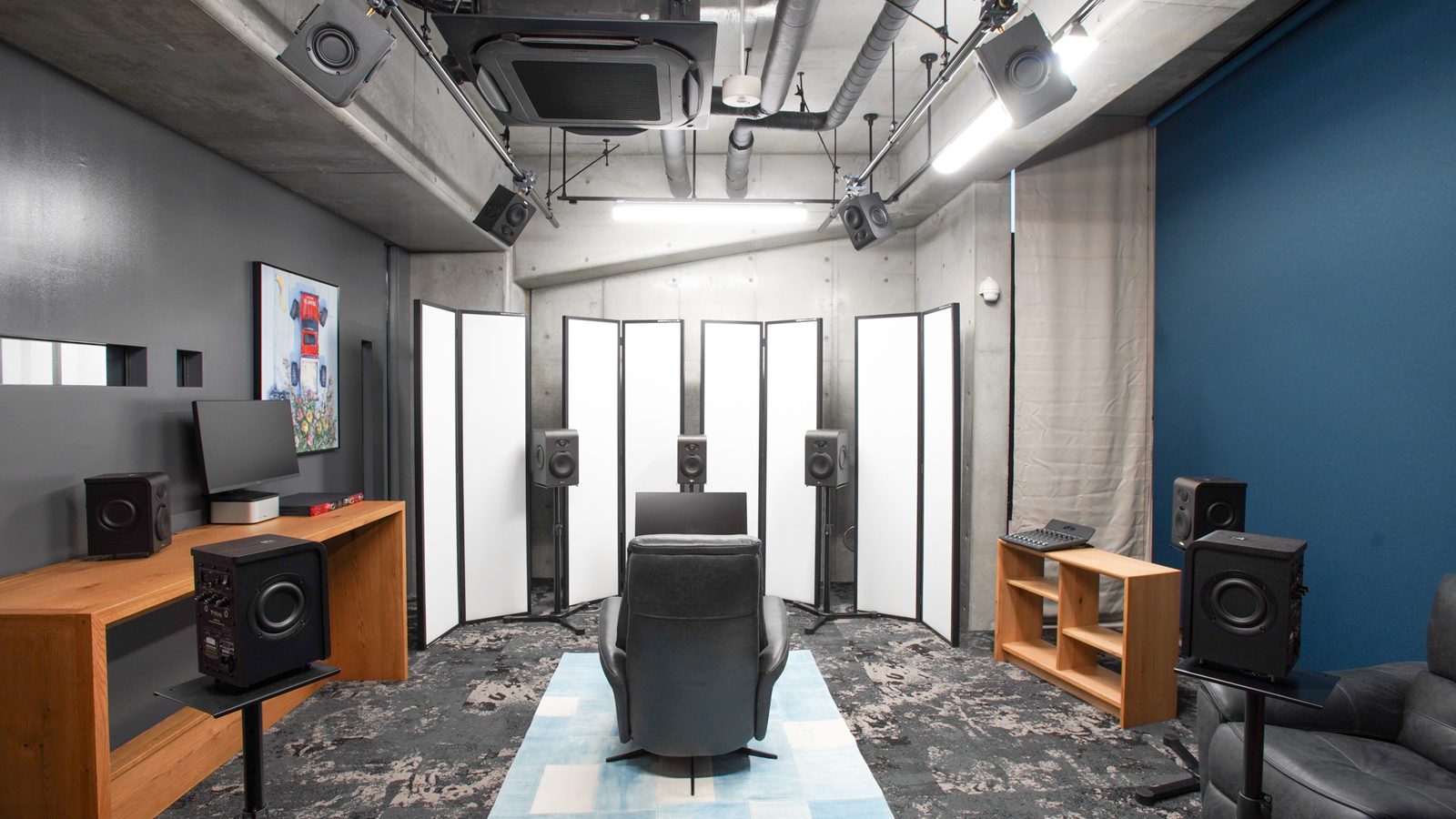
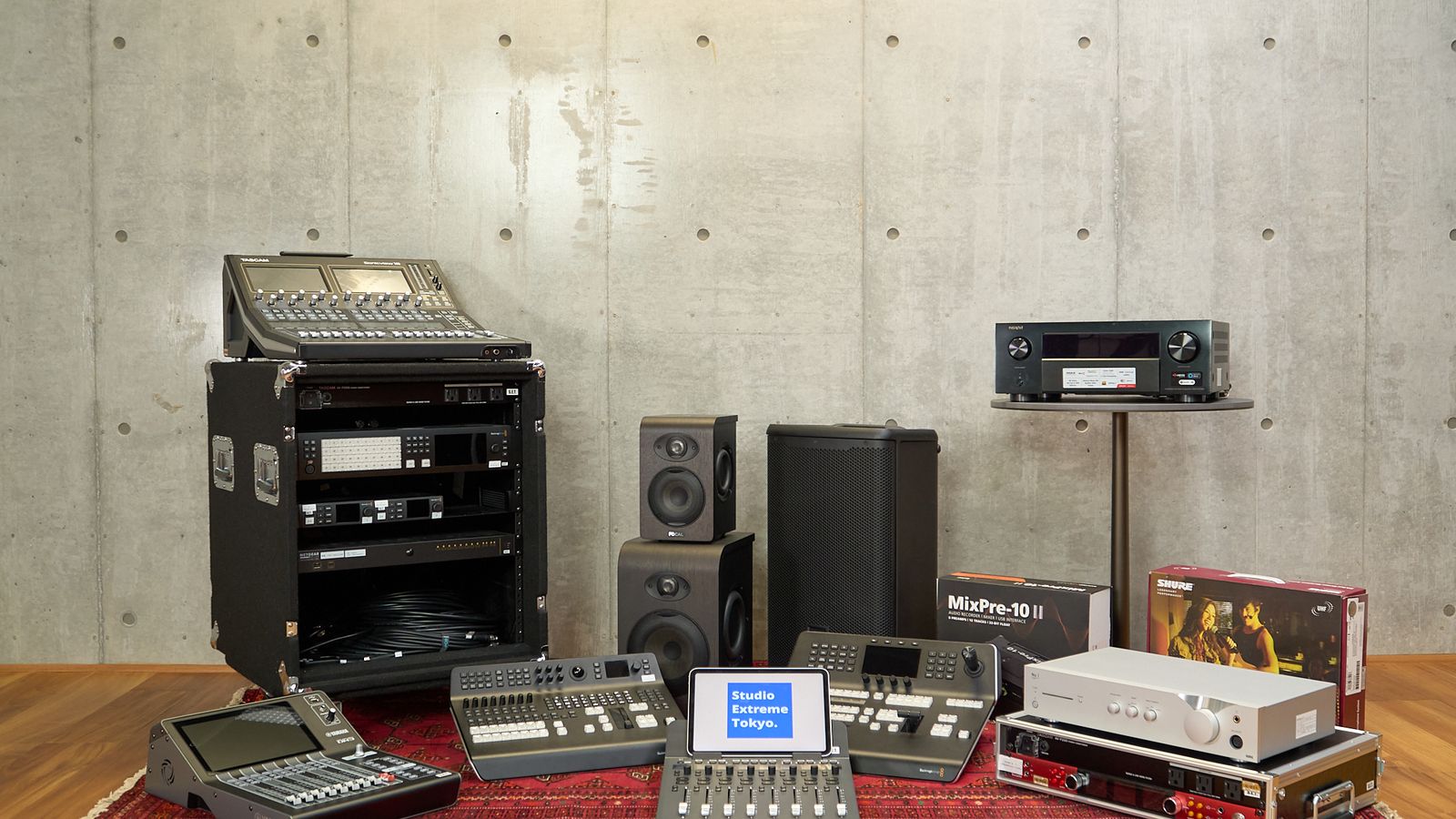
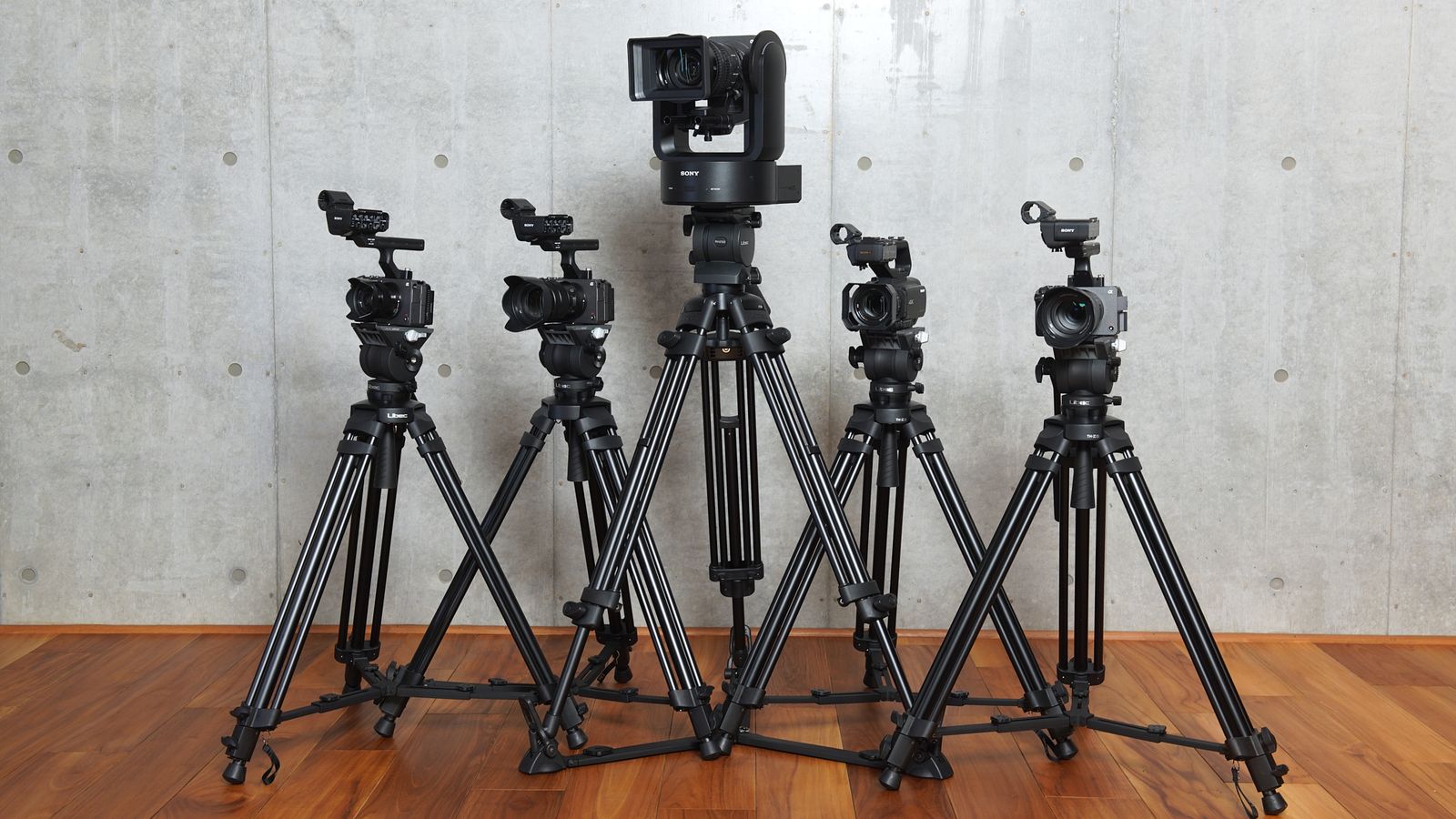
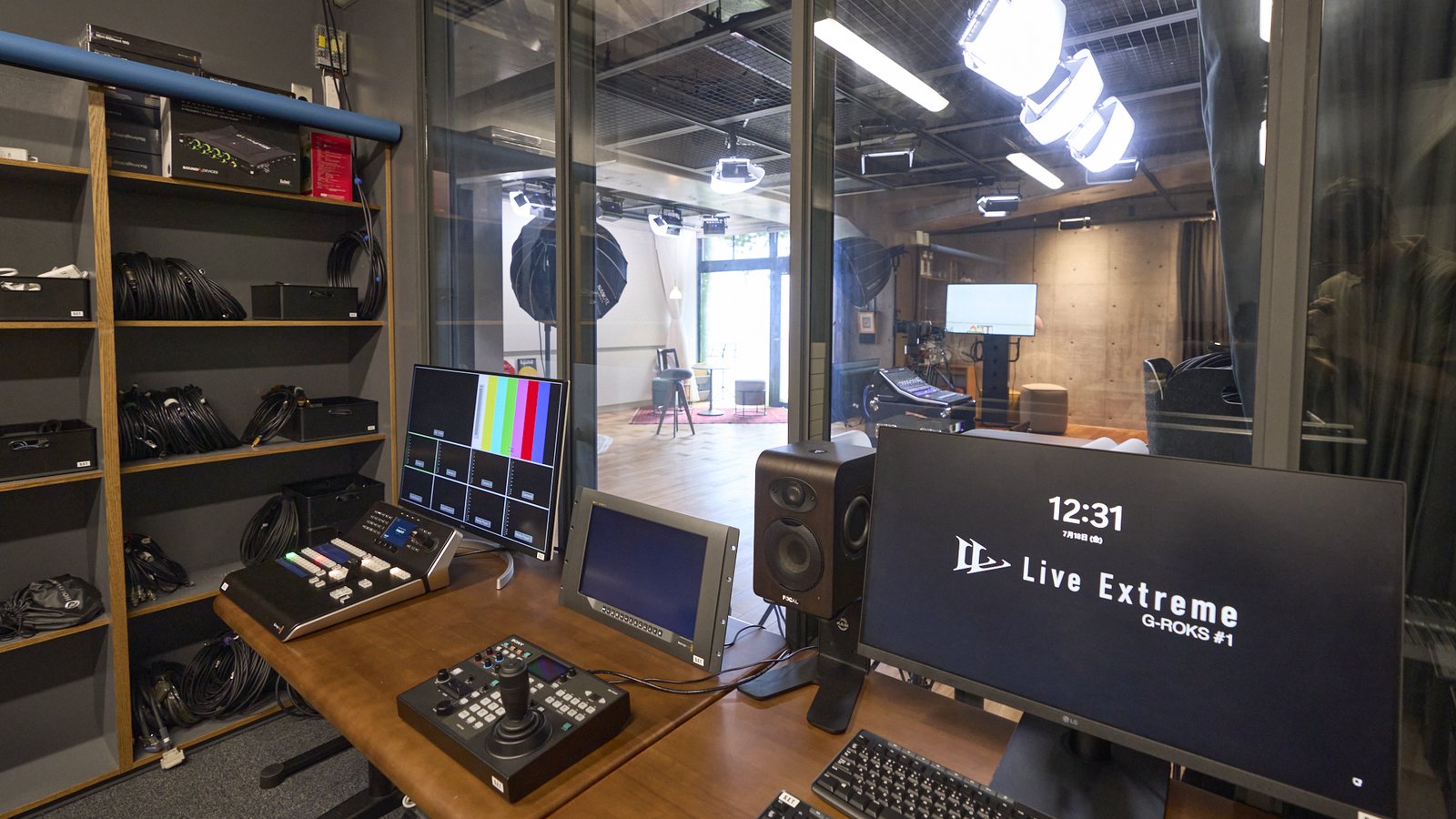
Live Extreme Encoder, installed
Nothing to bring or set up. Watch the whole workflow up to a live stream.
Dolby Atmos Room
Immersive audio on speakers rather than headphones, played back straight from the stream.
Production-grade lines and video
Two lines, NURO Biz and NTT (up to 10Gbps). 4K PTZ cameras and an 8K/4K switcher.
On the day
- Visit
- Encoder demo on the real system
- Try it with your own material
- Talk through your plans
Studio Extreme Tokyo
HOW TO PLAY
How to listen, format by format
Most of it plays in the browser alone. For surround and DSD, match your equipment and OS settings to hear it as intended.
Playback guide and FAQ (by OS and device) →Lossless
Audio compressed with ALAC or FLAC that decodes back to exactly the original data. Nothing is thrown away on the way.
What you need
Just a browser. No app, no plug-in.
Key settings
- If you use an external USB DAC, set it as your OS audio output.
Demos in this format
- Shun Ishiwaka, Shota Watanabe, Marty Holoubek — Smile(HPL11 (headphones))
- Shun Ishiwaka, Shota Watanabe, Marty Holoubek — Smile(Stereo)
- Shun Ishiwaka, Shota Watanabe, Marty Holoubek — Disturbed Utopia(HPL11 (headphones))
- Shun Ishiwaka, Shota Watanabe, Marty Holoubek — Disturbed Utopia(Stereo)
- Yoshinori Sunahara — Surround Speaker Test(HPL (headphones))
- Yoshinori Sunahara — Surround Speaker Test(Auro-3D 9.1)
- dip in the pool — Immersive voices 1st set
- Zoominsya feat. Ikuko Harada — Sayonara Ohayou
- Tomoki Sakata — Chopin (arr. Balakirev): Romance(4K + 192kHz)
- Tomoki Sakata — Chopin (arr. Balakirev): Romance(Full HD + 96kHz)
- Tomoki Sakata — Chopin (arr. Balakirev): Romance(4K + DSD)
- Emi Fujita — The Water is Wide(4K + 192kHz)
- Emi Fujita — The Water is Wide(Full HD + 192kHz)
- TENDRE — Life(4K + 192kHz)
- TENDRE — Life(Full HD + 96kHz)
- The Cosmic Suite Ensemble — Space Jam LIVE
- Toshi & Ashley — Creature in the Tokyo Lines
- James Francies — 713
Hi-res
PCM at 96kHz or 192kHz, 24-bit. Choose it from ♪ in the player.
What you need
A browser (Chrome or Safari on a computer). A hi-res capable USB DAC to hear it at full resolution.
Key settings
- Mac: in Audio MIDI Setup, choose your output device and set 2ch, 24-bit (or 32-bit), at the content's sample rate.
- Windows: make the DAC the default device and set the same sample rate under Properties > Advanced.
- Keep the player volume at maximum and adjust level on the DAC or amplifier.
Demos in this format
- Yoshinori Sunahara — Surround Speaker Test(HPL (headphones))
- Yoshinori Sunahara — Surround Speaker Test(Auro-3D 9.1)
- dip in the pool — Immersive voices 1st set
- Tomoki Sakata — Chopin (arr. Balakirev): Romance(4K + 192kHz)
- Tomoki Sakata — Chopin (arr. Balakirev): Romance(Full HD + 96kHz)
- Tomoki Sakata — Chopin (arr. Balakirev): Romance(4K + DSD)
- Emi Fujita — The Water is Wide(4K + 192kHz)
- Emi Fujita — The Water is Wide(Full HD + 192kHz)
- TENDRE — Life(4K + 192kHz)
- TENDRE — Life(Full HD + 96kHz)
DSD
1-bit DSD at 5.6MHz, delivered as is. It is a separate track, chosen from ♪.
What you need
A DSD-capable USB DAC, Windows 10 or later or macOS, and Chrome or Safari.
Key settings
- Set the output to 352.8kHz for DSD 5.6MHz (176.4kHz for 2.8MHz), 2ch, 24-bit or more.
- KORG DACs are configured from their own control panel.
- Keep the OS and player volume at maximum.
Demos in this format
Dolby Atmos
Dolby Atmos over Dolby Digital Plus JOC: immersive sound including height.
What you need
Safari on Mac, iPhone or iPad, an Apple TV 4K, or the Android app. Windows PCs are not supported.
Key settings
- Mac: play in Safari. Built-in speakers on 2018-or-later MacBooks, or an Apple silicon Mac with AirPods Pro, Max or 3rd generation, or Beats Fit Pro. HDMI and USB outputs are not supported.
- iPhone / iPad: play in Safari. Hold the device in landscape for the built-in speakers; for headphones, only the models above.
- Apple TV 4K: enable Dolby Atmos under Settings > Video and Audio > Audio Format, then AirPlay from Safari.
- Android: install Live Extreme Experience on a Dolby Atmos capable device and use “Open in the Android app” on the demo.
- Other headphones receive a stereo downmix.
Auro-3D
Auro-3D 9.1 carried inside 5.1ch PCM, unfolded to 9.1 channels including height by the AV receiver.
What you need
An Auro-3D capable AV receiver connected to a PC or Mac over HDMI.
Key settings
- Mac: in Audio MIDI Setup set 6ch, 24-bit, at the content's sample rate, and choose “5.1 Rear Surround” under Configure Speakers. Check that channels 3 and 4 are in the right order.
- Put the AV receiver in Auro-3D mode and confirm on its INFO display that Auro-3D is detected.
- Keep the player volume at maximum and adjust level on the receiver. Apple silicon Macs output HDMI at 48kHz only.
Demos in this format
HPL
Binaural processing that recreates a surround sound field on headphones. The stream itself is ordinary 2ch, so it plays anywhere.
What you need
Any headphones or earphones.
Key settings
- Nothing to configure.
Eclipsa Audio
Open, royalty-free immersive audio developed by Google and Samsung, based on IAMF. Streamed in 7.1.4ch and rendered to suit the playback setup.
What you need
Chrome 153 or later on a PC or Mac, or Live Extreme Experience (v1.2 or later) on Fire TV or Android TV.
Key settings
- Mac: Chrome renders it to 2ch. Best on headphones.
- Windows: Chrome renders up to 7.1ch. Match the speaker count under Configure in the Sound settings.
- Fire TV and Android TV: choose the channel count under “Eclipsa audio output mode” in the app (up to 7.1ch). Not supported on Apple TV.
- Not supported in Safari.
Commentary track
A second audio track streamed alongside the main one, switched by the viewer: commentary, other languages, alternate mixes.
What you need
Just a browser.
Key settings
- During playback, choose “commentary” from ♪ in the player.
Demos in this format
5.1ch surround
Lossless 5.1ch PCM, streamed alongside stereo and binaural with the same picture and switched from ♪.
What you need
An AV receiver driving 5.1 speakers, connected to a PC or Mac over HDMI.
Key settings
- Mac: choose the output device in Audio MIDI Setup and set “5.1 Surround” under Configure Speakers. Check the order of channels 1–6.
- Windows: set the speakers to 5.1 under Configure in the Sound settings.
- Choose “surround” from ♪ in the player. iPhone and iPad can output it too, from Safari through an HDMI adapter.
Demos in this format
4K
3840×2160 video. Resolution adapts to your connection automatically.
What you need
A 4K display, and a connection of up to around 30Mbps for the 4K versions.
Key settings
- Watch with the player in full screen.
Demos in this format
- Shun Ishiwaka, Shota Watanabe, Marty Holoubek — Smile(Eclipsa Audio 7.1.4ch)
- Shun Ishiwaka, Shota Watanabe, Marty Holoubek — Smile(Dolby Atmos)
- Shun Ishiwaka, Shota Watanabe, Marty Holoubek — Smile(HPL11 (headphones))
- Shun Ishiwaka, Shota Watanabe, Marty Holoubek — Smile(Stereo)
- Shun Ishiwaka, Shota Watanabe, Marty Holoubek — Disturbed Utopia(Eclipsa Audio 7.1.4ch)
- Shun Ishiwaka, Shota Watanabe, Marty Holoubek — Disturbed Utopia(Dolby Atmos)
- Shun Ishiwaka, Shota Watanabe, Marty Holoubek — Disturbed Utopia(HPL11 (headphones))
- Shun Ishiwaka, Shota Watanabe, Marty Holoubek — Disturbed Utopia(Stereo)
- Yoshinori Sunahara — Surround Speaker Test(Auro-3D 9.1)
- Tomoki Sakata — Chopin (arr. Balakirev): Romance(4K + 192kHz)
- Tomoki Sakata — Chopin (arr. Balakirev): Romance(4K + DSD)
- Emi Fujita — The Water is Wide(4K + 192kHz)
- TENDRE — Life(4K + 192kHz)
HDR10+
HDR with dynamic metadata that changes scene by scene, tuning brightness and tone to each display. An open, royalty-free standard.
What you need
An HDR display. The dynamic metadata itself is applied in Safari (iPhone 14 or later, iPad Air M2 or later, and so on) and in the set-top box apps.
Key settings
- Chrome and some devices play it as HDR10: still HDR, without the dynamic metadata.
- Apple TV 4K supports HDR10+ from the 3rd generation (2022). Earlier models and the Nvidia Shield TV play it as HDR10.
Demos in this format
- Shun Ishiwaka, Shota Watanabe, Marty Holoubek — Smile(Eclipsa Audio 7.1.4ch)
- Shun Ishiwaka, Shota Watanabe, Marty Holoubek — Smile(Dolby Atmos)
- Shun Ishiwaka, Shota Watanabe, Marty Holoubek — Smile(HPL11 (headphones))
- Shun Ishiwaka, Shota Watanabe, Marty Holoubek — Smile(Stereo)
- Shun Ishiwaka, Shota Watanabe, Marty Holoubek — Disturbed Utopia(Eclipsa Audio 7.1.4ch)
- Shun Ishiwaka, Shota Watanabe, Marty Holoubek — Disturbed Utopia(Dolby Atmos)
- Shun Ishiwaka, Shota Watanabe, Marty Holoubek — Disturbed Utopia(HPL11 (headphones))
- Shun Ishiwaka, Shota Watanabe, Marty Holoubek — Disturbed Utopia(Stereo)
APPS
Playing in an app
When Live Extreme is built into a streaming service, dedicated viewer apps are available as well as the browser.
Live Extreme Experience (set-top box)
For Apple TV, Fire TV and Android TV: a big screen with an AV receiver or soundbar turns the living room into the listening room.
Live Extreme Experience (Android)
On Google Play. Dolby Atmos on capable devices, and hi-res and DSD output to a USB DAC.
FAQ
Frequently asked questions
There is no sound, or playback stops
Try the stereo 48kHz track first. Hi-res, DSD and surround can play silent or noisy if your OS output settings don't match the content — see “How to listen” above.
Can I play Dolby Atmos on Windows?
No. The HPL version of the same piece gives you surround on headphones, and the Auro-3D version on an AV receiver.
Does it play on a smartphone?
Lossless, hi-res, HPL and the commentary track play in a smartphone browser. Dolby Atmos plays in Safari on iPhone, or in the Android app.
We want this quality for our own streams
Whether through the Encoder, the Showcase managed service or integration into your own system, we will put together a plan that fits.