HI-RES
Hi-res playback on macOS
- 01
When using an external audio device like a USB-DAC, first connect the device to the computer.
- 02
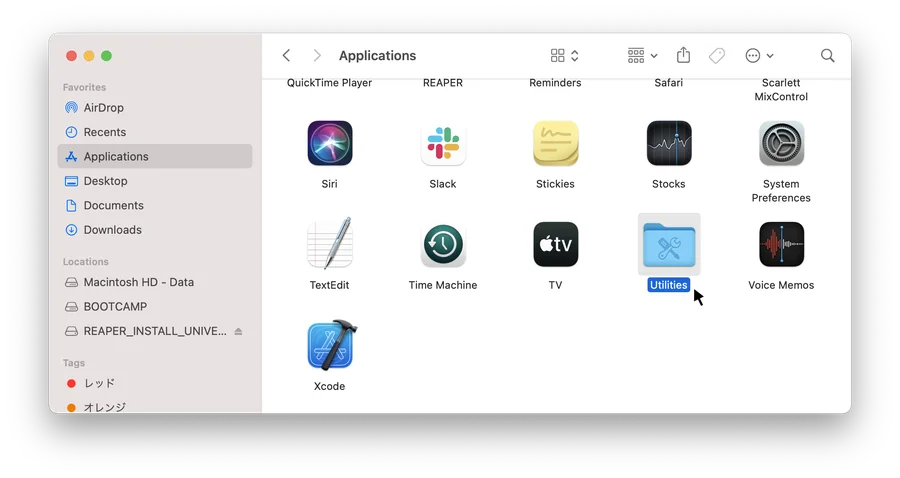
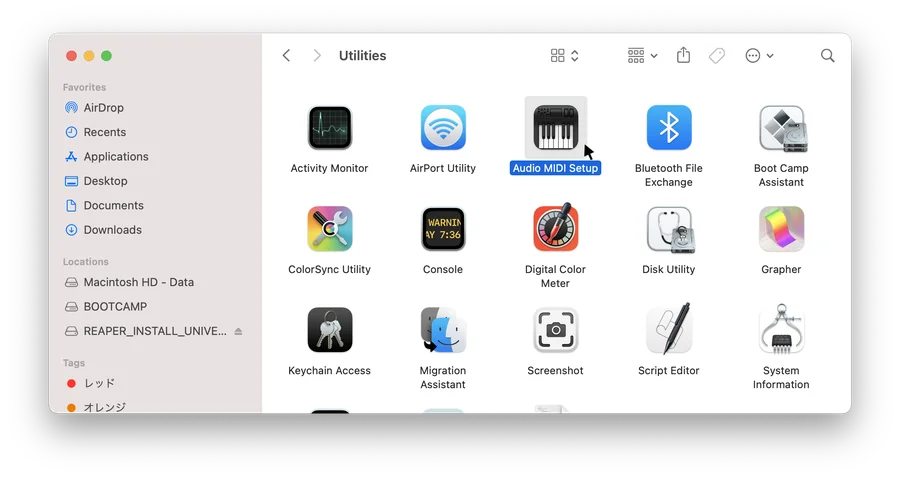
Go to [Applications] → [Utilities] → [Audio MIDI Setup].
- 03
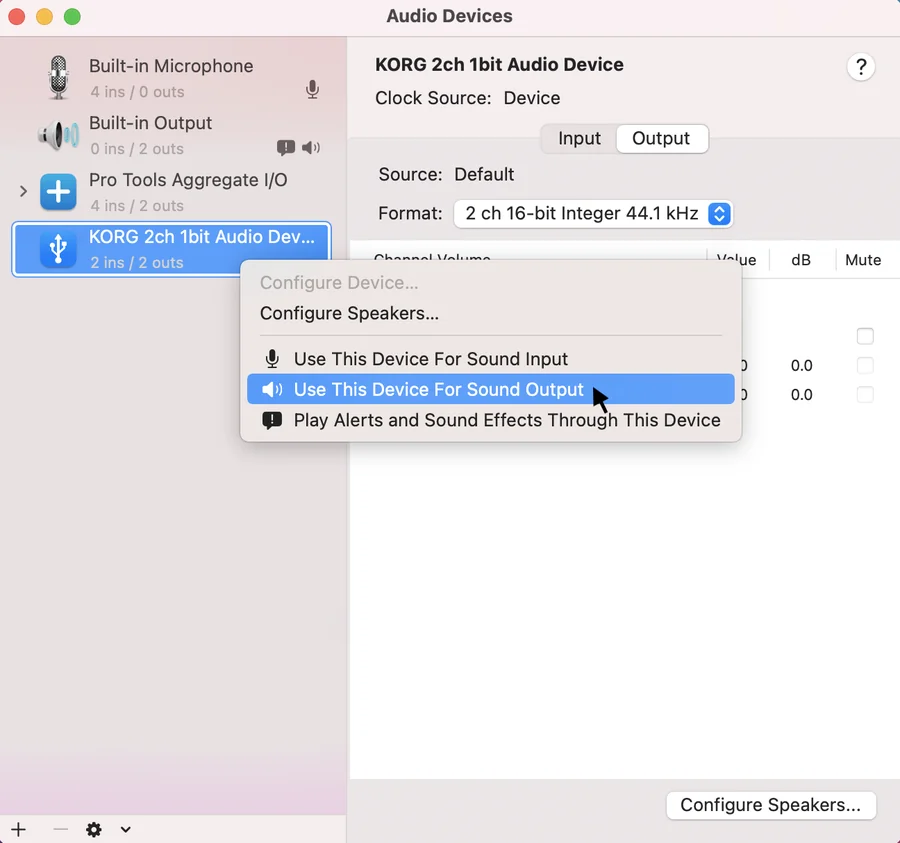
Right-click on your device and select [Use This Device for Sound Output]. When selected, a speaker icon will appear.
- 04
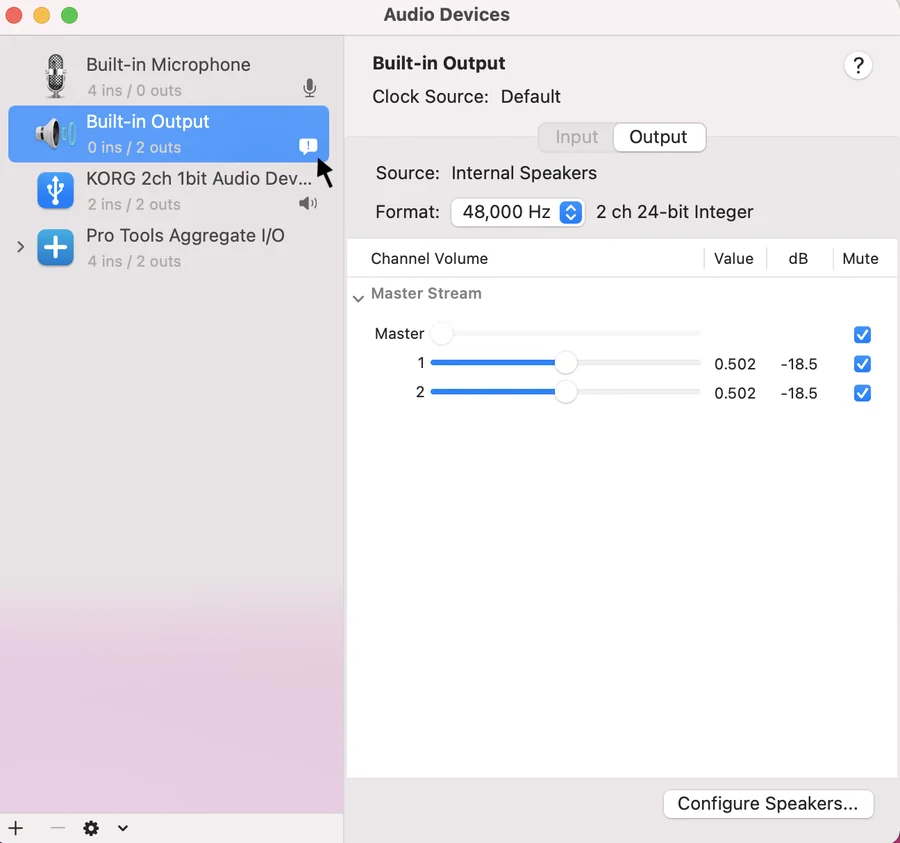
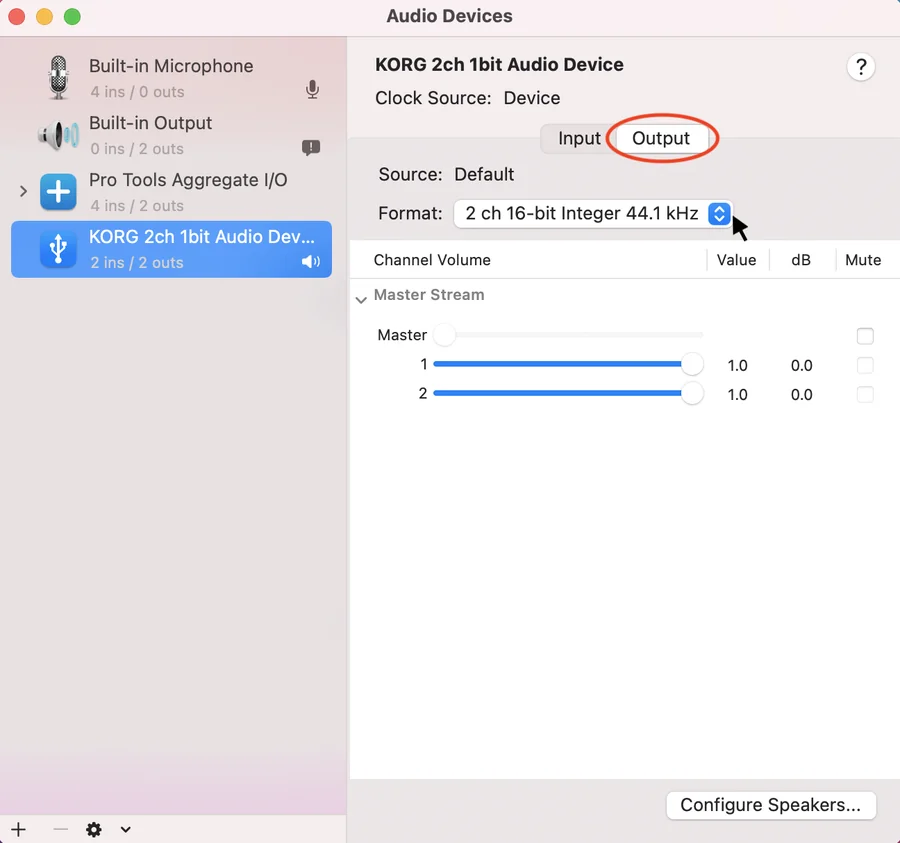
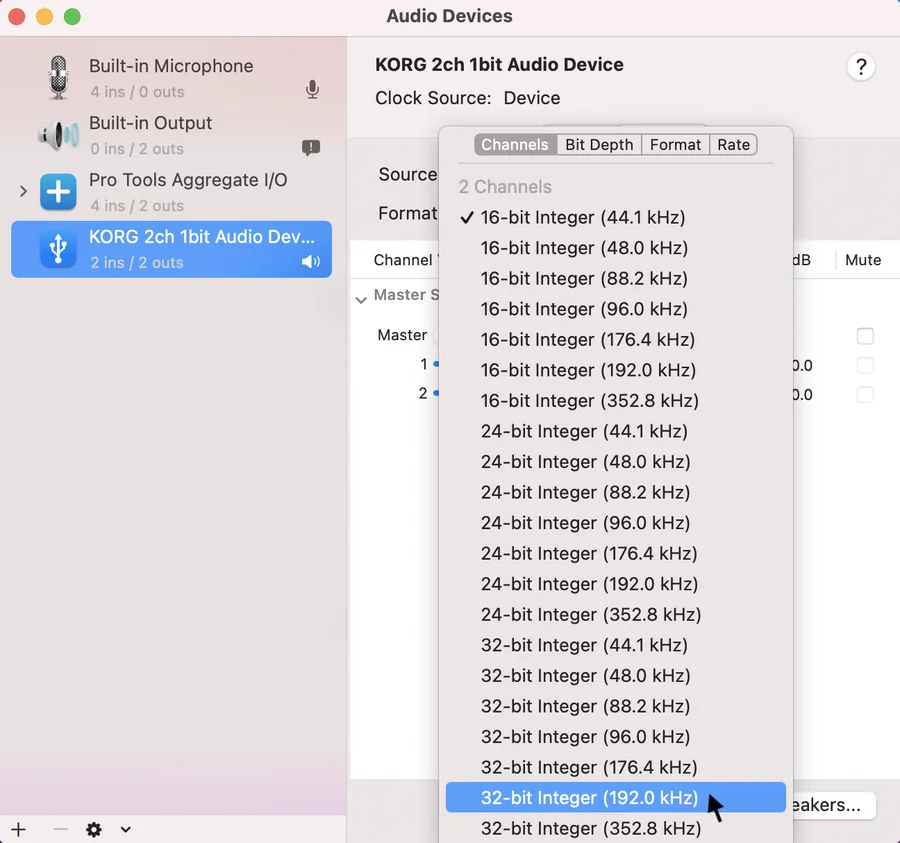
Under [Format] in the [Output] tab, select the following formats. A. Number of channels: 2 channel B. Bit depth: select large bit depth like 24 bit or 32 bit C. Sample rate: select the sample rate to match the content.
- 05
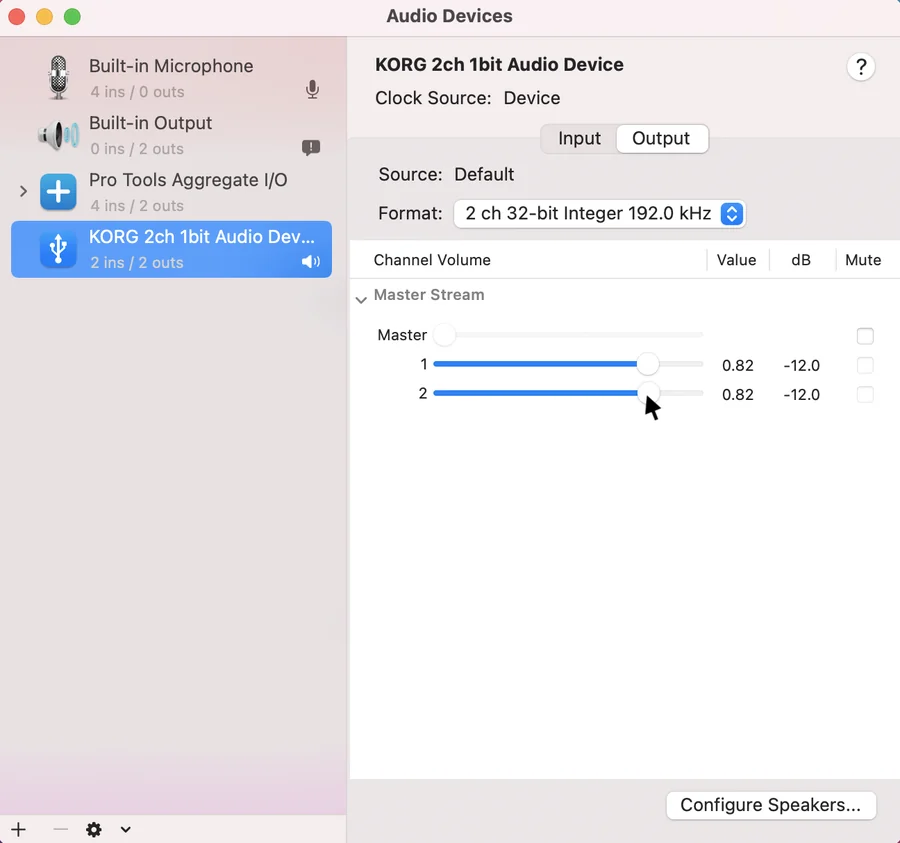
From the audio quality standpoint, it is best to set the Channel Volume at 1.0. If your audio device does not allow volume control, however, set the appropriate level here.
- 06
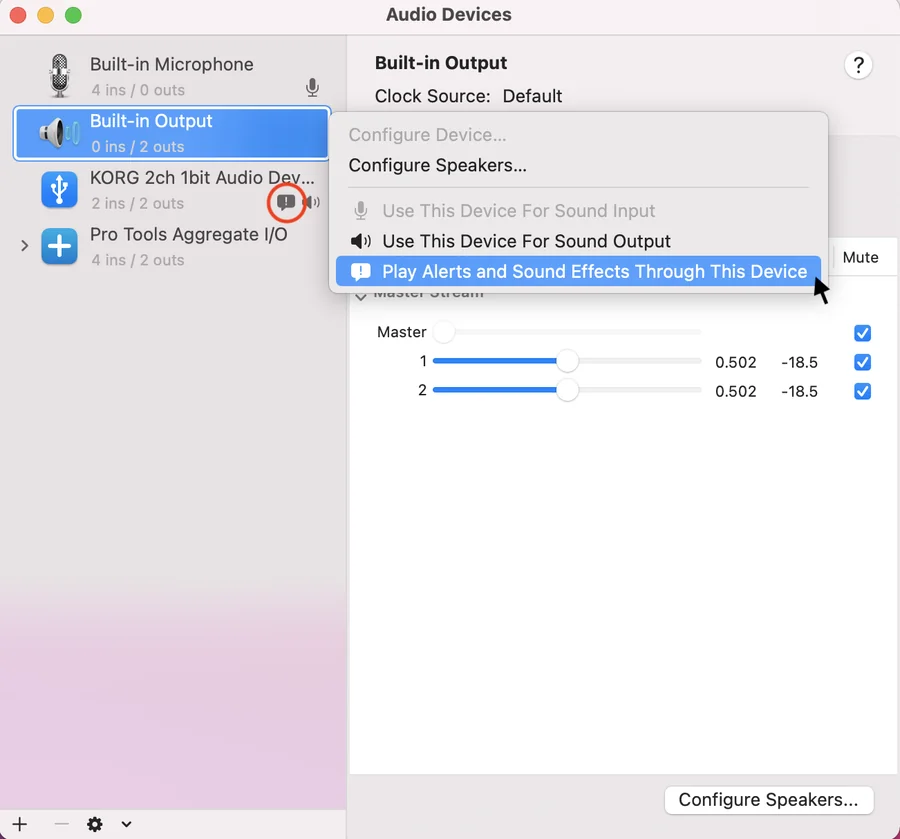
If the Finder icon is shown on your playback device, it is best to right-click other output such as [Built-in Output] and select [Play Alerts and Sound Effects Through This Device].