
SURROUND
Dolby Atmos playback on Apple TV
Dolby Atmos playback over HDMI is supported on Apple TV 4K (all generations).
- 01
Connect Apple TV to a Dolby Atmos supported device.
- 02
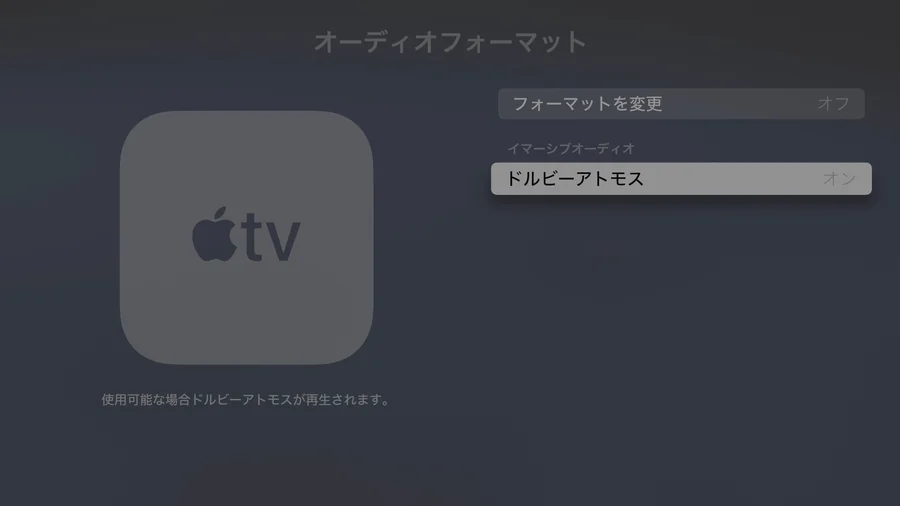
Turn on Dolby Atmos under “Settings > Video and Audio > Audio Format > Dolby Atmos”.
- 03
Open the Dolby Atmos content in Safari on a Mac, iPhone or iPad connected to the same network as your Apple TV.
- 04
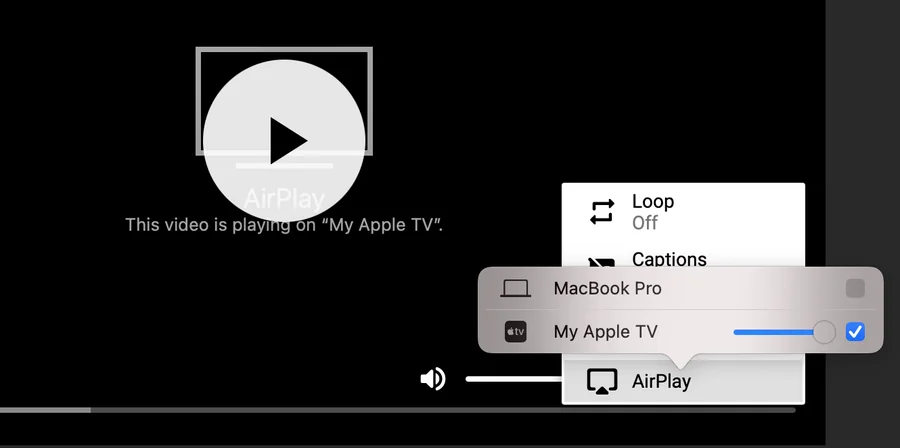
Select your Apple TV from the AirPlay button and enjoy the content.
Surround / Dolby Atmos
- macOS
- iPhone / iPad
- Android
- Apple TV